This is a video demonstration of the new and free High Dynamic Range VIDEO feature for control over ultra contrast shooting situations.
HDR Video stands for High Dynamic Range. In essence you can record video with two exposure values one under and over, and then to combine these two streams together to generate video that offers great shadow and highlight details.
Magic Lantern is a custom firmware add-on for Canon DSLR cameras capable of providing HDR capabilities and many other fine controls not normally available in the camera. These include turning off AGC for audio, enabling the AV port for audio monitoring via headphones, a waveform to check background illumination, individual controls for exposure and shutter speed during video recording, and more.
It is not a hack, or a modified firmware, but it runs alongside Canon's own firmware, booting from the card every time you turn the camera on.
The only modification to the original firmware is the ability to boot software from the card.
Magic Lanter is open source and licensed under GPL.
Learn everything about the Magic Lantern open-source firmware here:
If you support Magic Lantern development with a donation, you will get a few nice extras:
- A ready-to-run version of our HDR workflow, working on Windows (native), and also Mac and Linux (under Wine), with everything included in the zip file. - A preview of the upcoming 5D Mark II unified version.
Skrip.it is a very simple and effective free tool to automatically creates a 1-minute video clip that flies through some of your key visual memories for 2011.
Skrip.it, a service of Stupeflix, taps into your Facebook collection of photos from the past year and it mixes and matches it to your preferred music track (needs to be uploaded) or to one of the ready-made ones the service offers you to use.
In less than a couple of minutes your video mashup is ready to be viewed and shared online with your friends and social media contacts with nothing to pay or register.
TubeChop is a free web service which allows you to select a specific portion of any YouTube video, and publish it as such.
How does it work? You simply input the URL of the video you want to "cut" or a keyword to search for any video matching your query.
Once you have loaded your chosen video you can manually select exactly the part of the video that you want to "chop out" and once you click the button "Update", you are immediately provided with a link and an embed code to share your excerpted video selection with anyone.
UniversalSubTitles is a free online service which allows anyone to easily create text captioned subtitles for any Internet published video or to leverage the volunteer contribution of others to achieve the same result.
The service provides an easy-to-use interface which facilitates going through a video clip in small chunks while transcribing the audio track to text.
Once the transcription has been completed, a video player that integrates your selected video and the superimposed subtitles can be easily embedded on your blog or web site.
A small starters jib will set you back about $270 and a production monster like this one will be about a left kidney.
I just wish someone will have plans for a small and affordable crane. Lucky me you. Videographer Dan Colvin from Unitips has a tutorial just like this.
If you are looking to find some data that puts YouTube and Television had-to-head, this visually rich infographic will provide you with lots of useful stats.
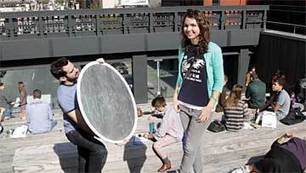
A simple lighting bounce can remove harsh shadows from your videos and give them a more professional look.
A bounce is used to literally bounce or reflect light onto your subject.
It’s handy for evening out harsh shadows and dispersing light so it doesn’t appear to be coming from a single source.
There are two types of situations where bounces are especially useful: when shooting outside in the harsh sun, and indoors with artificial light.
On a recent sunny day we took the opportunity to create this quick tutorial video to demonstrate bounce lighting techniques with a collapsable disc reflector:
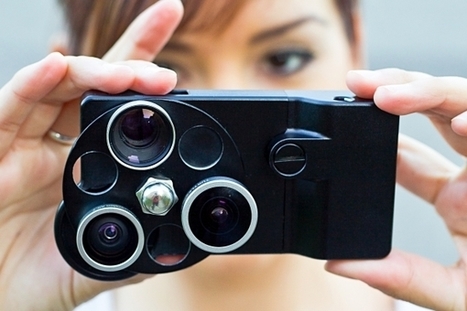
3-in-1 lens set: Fisheye, Wide Angle, and Telephoto Optical-quality coated glass lenses for your iPhone.
All wrapped up in a slim aircraft-grade aluminum jacket equipped with two tripod mounts (for portrait or landscape shots).
To switch between lenses you only need to rotate the disc.
Use the 0.7x Wide Angle for sweeping landscapes or get fun warped images with the 0.33x Fisheye. Switch to the 1.5x Telephoto and get nearly two times closer to your subject.
Vidcaster has recently launched a free version of its video publishing service, allowing anyone to create a video-based web site presence where to host, outside of YouTube or Vimeo all of the video clips one has (both those already published as well as those you have never posted yet).
Vidcaster makes it easy for you to import all of the video clips that are stored on your YouTube account and to help you build a custom, personalized video web site around them. You as a user can also import video clips from Vimeo or YouTube as long as you state that you have full copyright control over such material.
Among the cool features I have noticed:
- small set of ready-made video web site templates which give a pro-look to your site immediately (not many, but the basic ones are good)
- the ability to create your own "category" or "theme" channels on your own video web site.
- the option to have your own domain name matched to this new video web site for only $20/year.
- an automatic podcasting channel, auto-generated for you, and a also a full RSS feed.
What's missing or not working:
- Category pages work only partially. Once you have added more than 10 video clips to a category, and you go that category page (e.g.: http://robingood.vidcaster.com/curation/ ) there is no way to see the other video clips in that category. By clicking "more" at the end of the page you are taken to the wrong place.
- Video content cannot be easily organized or sorted.
- Podcast channel not working.
- Adding video clips to a "category" channel is a very long and tedious process.
- Scrolling pages of your existing video clips without being able to sort or search through them makes the task very difficult for publishers with large video libraries.
Overall, I find Vidcaster a very promising, well though-out and useful video publishing service. Unfortunately the free version is not quite ready for prime-time and I would wait for Vidcaster to fix these issues before spending any serious amount of time on it.
If you are looking for your ideal HTML5-based video player for your web site or blog, look no further: this comparison table has all of the HTML5 video players available out there, compared side by side.
Robin Good: If you have not heard yet about the ZionEyez, here is a set of new video clips that gives you an even better idea of how cool and revolutionary this camcorder-in-a-pair-of-glasses really is.
"Eyez™ embeds a 720p HD video camera within a pair of eyeglasses designed to record live video data and take pictures.
The recorded data can be stored on the 8GB of flash memory within the Eyez™ glasses, transferred via Wifi/Bluetooth or Micro USB to a computer, or wirelessly transferred to most iPhone or Android devices.
After a one-time download of the “Eyez™” smartphone and tablet app, users can wirelessly broadcast the video in real time to their preferred social networking website."
I have long invested through Kickstarter in Eyez, just enough so that when their first production models will be out, I will be one of the happy owners to try it out.
The NEX-VG20 is an upgrade to the NEX-VG10, and one way to describe this camera is as a DSLR in a personal-camcorder body.
Like a DSLR, it has a large sensor (I've read that it's the same sensor as the one in the Sony NEX-5N), and supports interchangeable lenses using the Sony E-mount.
Like a camcorder, it has a flip-out viewfinder, a very different form factor, and a much better microphone.
At $2,199 - with the $600 kit lens - this camera is not cheap, though you can buy it without the lens. Here's a list of things I like about this camera:
I have the NEX-VG10 and like it quite well, but still working on smoother zooming. Mine was a refurbished model, so I got a decent price on it - $1500 (a steal, I think). Nice review on the VG20, but no upgrade for me for awhile!
Depending upon your encoding tool, you may have access to a checkbox or number box that controls something called IDR frames.
What are these creatures and what is their significance?
More imporantantly, what's the optimal setting?
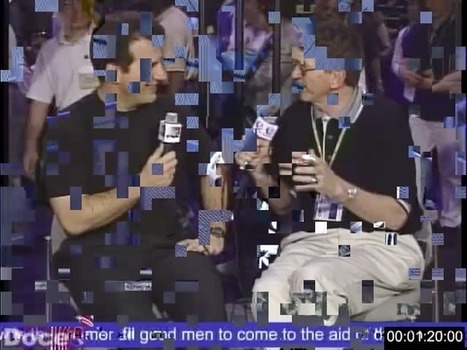
Well, let's just say that if you're seeing anything like the random blockiness in the picture below when you drag the playhead back and forth in the video window, you're probably using the wrong value.
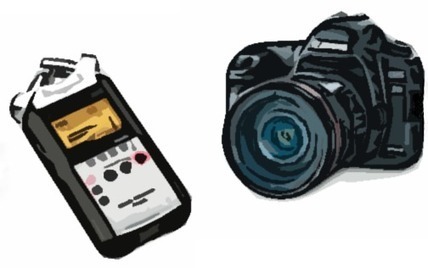
DualEyes is a commercial software for both PCs and Macs which allows you to easily sync back video and audio tracks of an event or interview that have been recorded on separate units (e.g.: a camcorder and a portable digital audio recorder).
If you are looking for a professional solution to live video stream from any location, even in HD quality, the Bond from Teradek may very well be that one.
It supports up to five 3G or 4G cellular modems simultaneously from multiple carriers worldwide.
The Bond incorporates cutting edge technologies such as low power hardware-based video compression and advanced streaming options like MPEG-TS, RTMP, and constantly adjusts bit rate and buffering on the fly based on varying network conditions.
To re-combine the multiple data streams, Teradek has developed Sputnik, a proprietary aggregation software. Sputnik is available as a free download and runs on any Linux server or in the cloud. Sputnik re-combines the cellular data streams and either sends to Livestream or generates an MPEG-TS stream* compatible with most H.264 IP decoders, including Teradek Cube decoder -- the smallest and lowest priced H.264 to HD-SDI decoder available.
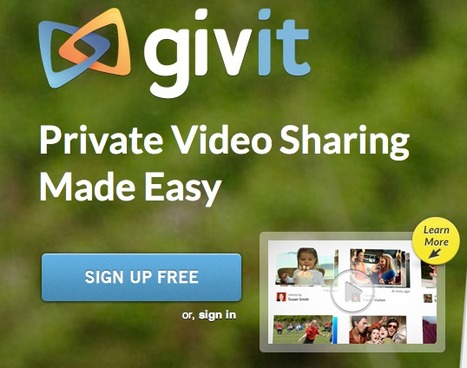
If you have been looking for an easy way to publish and share your videos only with a handful of friends or with your family, Givit.com is the free service you have been looking for.
Givit is available both as a desktop (Mac and PC) and an iPhone/iPad mobile app (Android coming soon). It can record, store and privately share your video with the people you want.
To share a video, upload a new clip or click on one already inside your your library. Add your recipients, a quick message, and decide whether you want recipients to be able to re-share your video or not. Then hit Send. Once the share is complete, you can add or remove recipients.
You can send up to six videos at a time to an unlimited number of recipients. You can send as many video shares as you like.
Givit accepts a wide array of video formats, including MOV, QT, M4V, AVI, 3G2, TS, 3GP, MPEG, MP4, ASF, WMV, MPG, FLV, h.264, MKV and WebM.
You can upload videos up to 1GB in size.
N.B.: People who will want to see your "private" videos will have to sign-up with Givit.
Vreveal is a new Windows video editing and enhancement tool which makes it very easy for anyone to organize, edit, fix and share/publish their videos online.
Vreveal is targeted at users that have little or no experience at all with video editing and who want an easy-to-use and powerful solution.
Vreveal allows direct publishing to YouTube and Facebook with one click, cleans up and stabilizes shaky clips, and can also correct colors automatically.
Laste but not least Vreveal is very fastas it runs on x86, OpenCL (AMD GPUs) and CUDA (NVIDIA GPUs).
The Photojojo Store, is an online store offering only the coolest photo and video accessories. In particular you can find great lens and adapters for your iPhone, as well as many DSLR cool accessories such as minidollies, stabilizers and special ring flashes.
A true curated selection of interesting video-photo accessories that can be immediately purchased online.
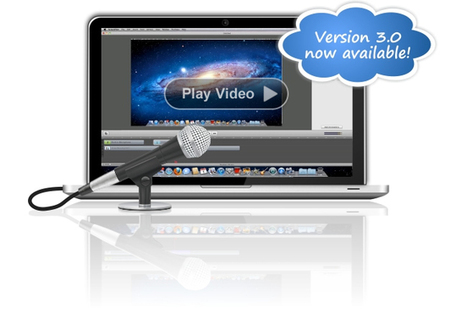
ScreenFlow the king of Mac screencasting tools, has just released a new version rich in new features and options.
Here the main ones:
*Freehand Callouts Call out regions of the screen with a freehand paint brush or rectangle tool. Blur out sensitive data or create a highlighted box to call out content on screen.
*Video Annotations Draw circles, squares, lines and arrows over your video content. Add movement and transitions to your annotations.
*Timeline Enhancements Reorder, delete and resize the height of your tracks; group clips; insert gaps; select and remove gaps, and many more improvements make editing your screencast easy and intuitive.
*Powerful Audio Quality Controls New audio filters offer greater control of the quality of audio clips. Remove background noise and smooth volume levels for better sound quality. View audio waveforms and clipped audio peaks to see the effects of volume changes instantaneously.
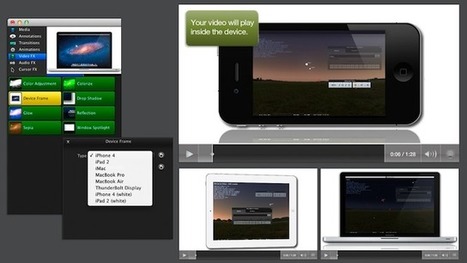
*Export Settings Improvements New export settings include an iPad export preset and Publish to Vimeo option. Additionally, you can now create and save your own customized export settings.
*OS X Lion-compatible features Supports key new Lion capabilities such as Automatic Save, overlay scrollbars and full screen viewing.
Recommended for all screencast-makers and video presenters.
Camtasia Studio has updated the Mac version today to version 2.0, which includes new annotations for your screencasts and videos, blur effects so you can obscure sensitive information, visual effects to add some interest, and more.
Only available in the US, the Swivl allows your smartphone-based camcorder to smoothly follow your horizontal and vertical moves unattended.
"The Swivl is a compact mount that works with the iPhone, iPod Touch, Flip, GoPro, and any Android phone.
The person being filmed holds a small sensor, letting the mount track his or her movements.
When used with an iPhone 4 or 4S, or a fourth generation iPod Touch, the user can control video functions with the remote sensor, as well. All Apple devices will charge through the Swivl.
P.S.: The Swivl got its startup financing through a page on IndieGoGo. People who believed in the concept pledged from $5 to $750 to help its creation. The developers raised $24,680 this way.
TED's head Chris Anderson has a point. In this 18' long video of his live presentation he illustrates why online video may be indeed a truly transformative force as we have probably never seen before.
The ability to see and learn from each other is something we have never been able to do on such a global scale. ...and the effects are pretty amazing.
To get content containing either thought or leadership enter:
To get content containing both thought and leadership enter:
To get content containing the expression thought leadership enter:
You can enter several keywords and you can refine them whenever you want. Our suggestion engine uses more signals but entering a few keywords here will rapidly give you great content to curate.


 Your new post is loading...





![How YouTube Killed TV [Infographic] | Online Video Publishing | Scoop.it](https://img.scoop.it/fBOw5iVKCMNk6wZh2ecQ2zl72eJkfbmt4t8yenImKBVvK0kTmF0xjctABnaLJIm9)



![Why Online Video Is Going To Change The World: Chris Anderson - TED [Video] | Online Video Publishing | Scoop.it](https://img.scoop.it/gM3jN0vkwPhpkDuhjfw4gzl72eJkfbmt4t8yenImKBVvK0kTmF0xjctABnaLJIm9)